What is IMPACT
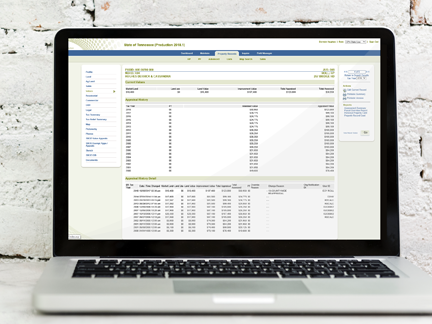

IMPACT is a cooperative effort in the Office of the Comptroller of the Treasury to integrate data and functions from today’s independent property-based systems into a single comprehensive systems solution. Entities participating in this effort include the Division of Property Assessments, State Board of Equalization, Office of State Assessed Properties, Office of Management Services and Division of Technology Solutions.
IMPACT is a key component in the collaborative Business and Technology Vision for continuous improvement in the Office of the Comptroller of the Treasury.
IMPACT allows authorized state and county users management of real and personal property records from discovery through the entire assessment process. Functionality includes appraisal, classification and assessment, appeals, exemptions, and tax billing, plus additional administration of Tennessee's property tax relief and tax freeze programs.
IMPACT capabilities include:
- New and expanded functionality for users at the state and county levels
- Streamlined operations to better serve the taxpayer
- Increased integration of GIS technology
- Document management tools
- Workflow tools
- Reduced paper generation
- Improved communications with internal and external audiences
- Field Mobile
- Integration of Pictometry
- Online Personal Property Filing
Additional Information
Benefits of the IMPACT CAMA System
- Web-based system accessible from anywhere that internet connectivity is available
- Developed by industry leader in public sector software, Tyler Technologies, Inc.
- Cloud-hosted with data storage, security, and backup managed by Tyler Technologies, Inc.
- Tablet-based mobile data collection application (Field Mobile); provides counties with paperless option
- Provides for uploading of documents and images for attachment to parcels
- Backed by the full resources of the Comptroller of the Treasury
- Centralized procurement and contract management
- Hardware with support; PCs and printers allocated to counties based on parcel count
- IMPACT upgrades and enhancements at no additional cost to the counties
- Data updated weekly on Comptroller’s public-facing Tennessee Property Assessment Data site; linked with GIS maps on the TN Map website
- Customer Support of IMPACT
- Local Division of Property Assessments (DPA) staff
- DPA Assessment Systems staff in Nashville
- Comptroller’s Technology Solutions (TS) staff in Nashville
- Reappraisal Support
- Local DPA staff; trained in IMPACT and knowledgeable in local market conditions
- Batch updating of records for more efficient data entry
- Full county property record print (upon request)
- Analytical Capability
- Integrated GIS map with ortho imagery, thematic labeling, and other tools
- Data extracts feed into robust statistical analysis application - Mass Appraisal Analysis Reporting System (MAARS)
- Integration with third-party solutions
- EagleView (Pictometry) oblique aerial imagery (availability depends on county)
- Cyclomedia street-level imagery (availability depends on county)
- Just Appraised deed import
- Data Cloud Solutions mobile data collection (currently in development)
- Nearmap aerial imagery (currently in development)
- Other services included
- Assessment change notices
- Seamless Tax Relief select process
- Seamless Tax Freeze processing
- Tax billing calculations
- Notices and tax rolls if requested by collecting official
- Personal property schedules
- Personal property online filing
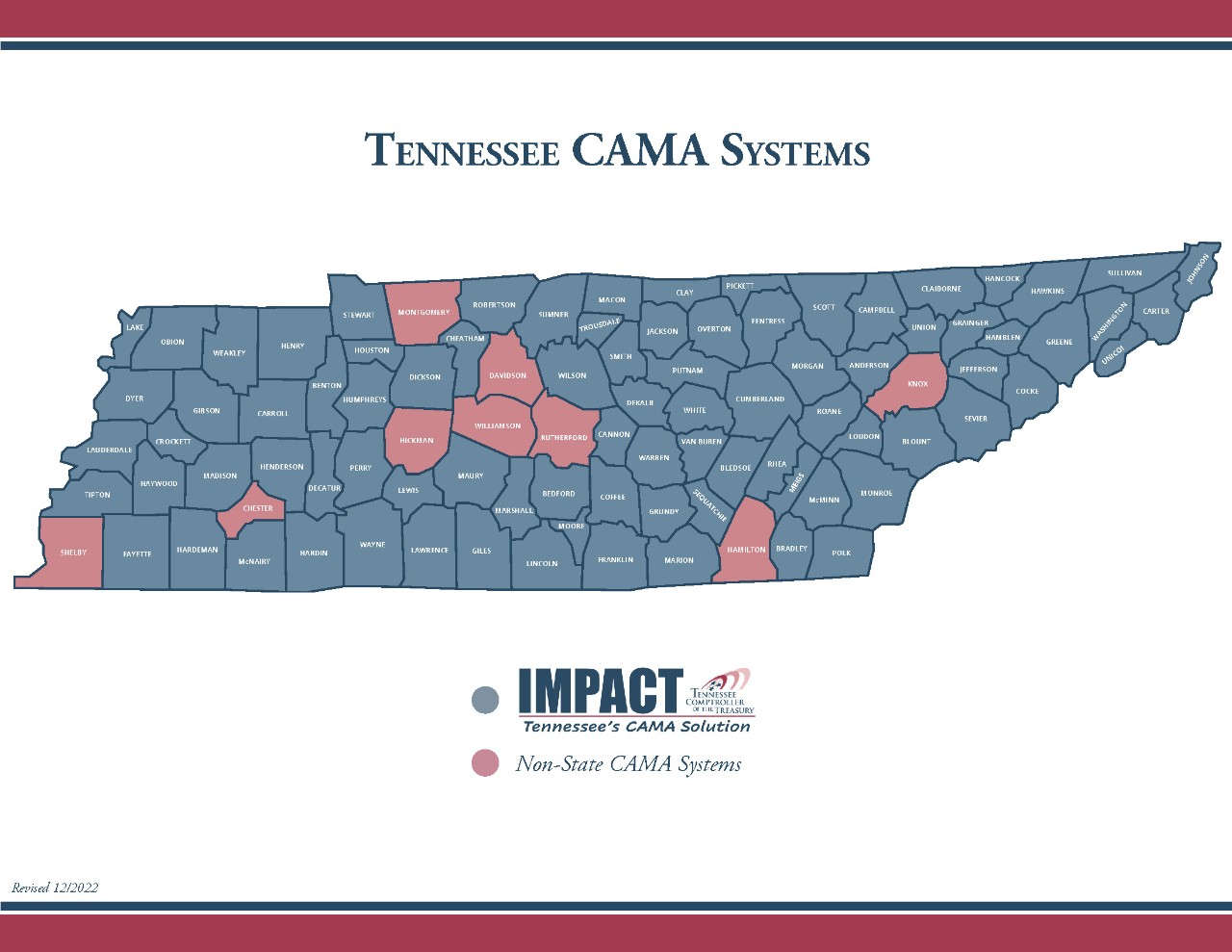
- Currently used by 86 of Tennessee’s 95 counties
Prepared by Comptroller of the Treasury, Division of Property Assessments (February 2018 – Updated April 2024)
IMPACT System Costs
I. Regular Annual Assessment Maintenance and Tax Billing*
| Line Item | Description | Cost/Parcel | |
|---|---|---|---|
| 1 | Assessor CAMA Maintenance - Access to a CAMA system; system upgrades; system development; system support; access to MAARS application; data management (storage and backup); personal property schedule printing and shipping; annual assessment change notice printing | Note: Personal property schedules and annual assessment change notices are included in state system base cost. | $0.22 |
| 2 | Assessor IT Support - Allocatiion of state computers and printers; technical support for allocated equipment; server support and maintenance | Note: Computers, printers, and support of such are included in state system base cost. | $0.09 |
| 3 | Collecting Official Tax Billing - Tax billing calculation, data management and storage (printed materials available for a nominal additional charge) | Note: Tax billing calculations are included in state system base cost. | $0.18 |
* Billed annually to the county in January for the previous calendar year; per parcel cost is applied to total parcel count; optional tax billing printing and mailing services are also available at minimal cost.
II. Annualized Reappraisal Processing Costs**
| Line Item | Description | Cost/Parcel | |
|---|---|---|---|
| 1 | Reappraisal Charges - Reappraisal year assessment change notices; appraisal setup table maintenance; recalculations of values; batchupdating of records; full county card print (upon request) in reappraisal year | Note: Reappraisal year change notices and full county card print are included in state system base cost. | $0.24 (4-year) $0.19 (5-year) $0.17 (6-year) |
** Billed annually to the county in May for the ending fiscal year; per parcel cost is applied to all real property parcels (taxable and exempt) but excludes personal property parcels; per parcel cost varies depending upon the county's reappraisal cycle.
Prepared by Comptroller of the Treasury, Division of Property Assessments (February 2018 - Updated April 2024)
Functionality of IMPACT
IMPACT is a cloud-hosted, web-based system that provides Computer-Assisted Mass Appraisal (CAMA) and assessment functionality to Assessors' offices and state appraisal staff for both real and personal property.
| General | |
|---|---|
| Function | IMPACT |
| Real Property Search | Search by Parcel ID, Owner, Subdivision, Book/Page, GISLINK, City Code, Tax District, Property Type, Neighborhood, and more. |
| Personal Property Search | Search by account ID, Address, Business Name, Business Code, Lessor, DBA, In Care Of, Account Status, City Code, Tax District, Receipt #. |
| Reporting | Advanced Search in the Property Records module provides for the most commonly used searches; can save and recall search setups; user can create saved lists for use in editing or in reports; Separate Batch Reports module provided many pre-defined reports that can be run by county users. |
| Data Queries | Inquire module allows combinations of search criteria from real and PP tables, with no set limit to the number of fields allowed in a search; allows the user to specify output fields; allows editing of parcels from the list of search results; parameters can be saved and recalled; user can create saved lists for use in editing or in reports. |
| Dashboard Gadgets | Gadgets provide quick information at a glance; data is provided graphically to illustrate assessment information, process status, potential data issues, and more. |
| Tax Years | Multiple tax years available. |
| OSAP Data | Inquiry access within the system to appeal and exemption data from the Office of State Assessed Properties. |
| SBOE Data | Inquiry access within the system to appeal and exemption data from the State Board of Equalization. |
| Help System | Context-sensitive online Help. |
| Data Downloads | Downloads of User-specified fields for selected records can be downloaded as text, Excel, XML and HTML files. |
| GIS | |
|---|---|
| Function | IMPACT |
| GIS Functionality | Includes integrated GIS funcitonality to view and identify selected parcels, navigate the map, print or export the map, and create saved lists of parcels for editing or batch update from a map selection. |
| Real Property | |
|---|---|
| Function | IMPACT |
| Mobile Data Collection | Seemlessly integrates with tablet-based Field Mobile application to allow data review and updating by field appraisers; includes ability to capture photos; integrates GIS and GPS functionality. |
| Bulding Permits | Can mange and track multiple permit records per parcel including permit number, date, amount, purpose, status, date completed and other information. |
| Building Sketch | Graphical building sketches using integrated Apex sketch software; provides ability to sketch visually using mouse or keypad. |
| Sketchable Items | Buildings, plus certain out buildings and yard items. |
| Property Record Cards | Property record card in a familiar format; building data format on each page is specific to whether a dwelling or commercial building is on that card. Additionally, a Parcel Overview Report is available that provides a simple, typically two-page document (including sketch) for most parcels that will be useful for providing to the public. |
| Property Record Card Print | Primarily paperless approach recommended; county encouraged to print cards locally on-demand only when needed (such as for field review, customer assistance, etc.); central printing of entire sets of cards provided at a cost (one set per reappraisal cycle at no cost, if desired). |
| Future Year Changes | Copy only the pertinent data to the future for entering changes, or else copy the entire parcel to the future. |
| Ownership Changes | Copy owner record or entire parcel to future and enter new ownership and sale data; splits may be entered using a special Split transaction that allows tracking of the parcel split history. |
| Greenbelt Land Entry | Market and use value entries on seperate tabs; although seperate market and use value entries may result in additional data entry when the market value is based on rural land codes, redefining market value for use value purposes is not required for non-rural land codes; facilitates use of straight unit price values for market while maintaining detailed land breakdown for use value. |
| Rollback Taxes | Support for calculation of rollback taxes using the land entries in the system from prior years; user only needs to enter number of acres being rolled back on each entry, then system computes rollback amount; can also be calculated manually and entered into system. |
| Multi-Class Parcels | Can assess individual buildings, outbuildings or land entries to different classes on the same parcel, eliminating the need for separate parcels; one change notice and tax billwould be produced for the entire parcel. |
| Tax Freeze | Tax Freeze integrated into IMPACT; applications from collecting officials passed to IMPACT; Assessor enters frozen percentages for each land entry and improvement; frozen values calculated by the system based on those percentages; assessments passed back to collecting officials; all frozen and non-frozen portions recalculated automatically in reappraisal; base tax adjustment percentages calculated and applied by system when approved by user. |
| Appeal Tracking by Assessor | Yes |
| Personal Property | |
|---|---|
| Function | IMPACT |
| PP Data Entry | Owned, leased and nonstandard property only for each group/year having cost reported are entered as line items in a grid view (similar to a spreadsheet view). |
| PP Value Calculation | In accordance with state law. |
| PP Audit Tracking | Yes |
| Appeal Tracking by Assessor | Yes |
| Personal Property Online Filing | Electronic filing capability provided for Personal Property schedule and asset list data. |
Prepared by Comptroller of the Treasury, Division of Property Assessments (February 2018 - Updated April 2024)